Purpose
Showing posts with label photography. Show all posts
Wednesday, July 18, 2012
I'm back from my trip, and starting to get settled into home routines. The trip was wonderful from start to finish. The image a photo I took of an old log building that sits in the very small community that my paternal grandparents homesteaded in originally. It's not too far from the farm I grew up on, but I had never been over there. My brother, who lives on our family farm, had never searched out the community either. It appears on Google maps, but it is really just a collection of a few houses, out on the prairie a few miles from a small town in Montana.
It used to be more of a community, with a church built on land donated by my grandmother. There is no sign of where the church was specifically located, so I'm going to have to do some research to find out. There is an old grain elevator still standing, possibly from the 1920's or 30's. Everything else in the neighborhood is much more modern.
I had been hoping to find some remnants of the church building, but I'm happy at least that this old log building still stands and I got the opportunity to take a photo of it.
Sunday, May 27, 2012
iScrapit
I have to tell you, I'm über excited about this class! Ever since I got my iPad, I've longed to be able to scrap printable pages on it. Leave it to techie scrapper Renée Pearson to figure out how to do this. Her class, iScrapit starts June 15th. I wish it was starting just a little sooner because I leave on a trip the 22nd! I will have internet access at least part of the time, so I'm hoping to be able to play along for most of it.
I'm really looking forward to learning how to scrap and share more digitally, as well as to print from these pages! I was surprised to see that it uses Keynote, which I recently purchased for my iPad. I've been playing around with it a little and was surprised to see that when exported as a PDF file, it's very high resolution. It is, however, a very different experience from scrapping with PSE.
One of the huge bonuses is this: I generally use my iPhone 4S for photography. That's going to be my camera on my upcoming trip. With PhotoStream, these photos (the last 1000) show up on my iPad and my Mac automatically. Thus they are automatically available to scrap with on my iPad. I'll be able to create pages while on my trip, and even embed them here on my blog. Video can also be included.
We are going to learn how to resize digital supplies for the iPad/iPhone so we can make use of our digital goodies. My only concern there is that my iPad is one of the smaller versions, so I don't have a lot of memory available. I'll have to clear out some iBooks I've read and other unneeded files so there is plenty of room before I'm on the road.
I can't wait to dig into this class and learn more!
I'm really looking forward to learning how to scrap and share more digitally, as well as to print from these pages! I was surprised to see that it uses Keynote, which I recently purchased for my iPad. I've been playing around with it a little and was surprised to see that when exported as a PDF file, it's very high resolution. It is, however, a very different experience from scrapping with PSE.
One of the huge bonuses is this: I generally use my iPhone 4S for photography. That's going to be my camera on my upcoming trip. With PhotoStream, these photos (the last 1000) show up on my iPad and my Mac automatically. Thus they are automatically available to scrap with on my iPad. I'll be able to create pages while on my trip, and even embed them here on my blog. Video can also be included.
We are going to learn how to resize digital supplies for the iPad/iPhone so we can make use of our digital goodies. My only concern there is that my iPad is one of the smaller versions, so I don't have a lot of memory available. I'll have to clear out some iBooks I've read and other unneeded files so there is plenty of room before I'm on the road.
I can't wait to dig into this class and learn more!
31 Things
I'm in the midst of a class at Big Picture Classes called 31 Things taught by Ali Edwards. I always always love Ali's classes. This project is journaling based, with 31 prompts, given out each day over the 31 day period.
I'm doing my project digitally, using the templates Ali has provided with the class. The papers I'm using are from The Digi Files. I read the emails every morning, but often don't have time to actually do the work of writing and checking for or taking a photograph, so I do the work in clusters. Today I did four prompts, getting caught up with all of last week's prompts. I am just needing a few pictures to finish it up. I am not that worried about getting all the layouts done on schedule. My main focus is to get the journaling done so I can finish it up at my leisure, but so far I've done fairly well getting the layouts done as well.
Here's my 1st page:
I'm doing my project digitally, using the templates Ali has provided with the class. The papers I'm using are from The Digi Files. I read the emails every morning, but often don't have time to actually do the work of writing and checking for or taking a photograph, so I do the work in clusters. Today I did four prompts, getting caught up with all of last week's prompts. I am just needing a few pictures to finish it up. I am not that worried about getting all the layouts done on schedule. My main focus is to get the journaling done so I can finish it up at my leisure, but so far I've done fairly well getting the layouts done as well.
Here's my 1st page:
When I read the first prompt, Jewelry, I didn't think I'd have that much to say, since I'm not a big jewelry person. But once I sat down to write, I found I had more to write that I'd thought. This seems to be the general trend with the prompts so far.
This class just adds to my conviction that if Ali is teaching a class, I want to take it!
Friday, October 14, 2011
More iShotThat! fun
Dear reader:
I'm having great fun in the iShotThat class at ReneePearson.com for iPhone photography.
Today's assignment (well, the one I did today anyway!) is using a sweet little program called HDR Foto, which you can download for free from iTunes. With this program, you tell the camera to get the light reading from two different spots and it takes two photos based on those readings and combines them. This works great when you have an area that is blown out and a dark area and you want details in both places to show up.
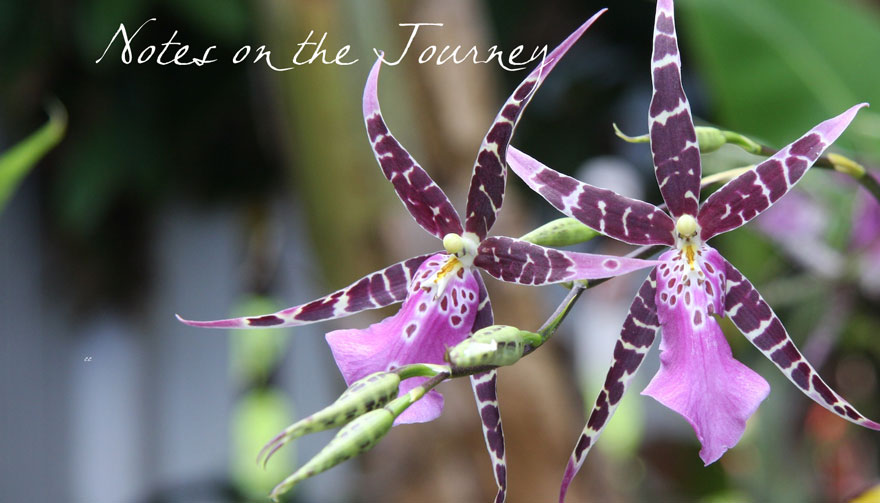
In this shot, the light was bright on the orchid on the right and the bloom on the left was pretty shadowed. So I told the app to sample from the blown out area and the shadowed bloom. The camera took both shots & combined them. Then I played a little with a few settings (Polarize effect mostly) framed it, and voila!
If you have or get an iPhone and want to learn how to have fun with the camera, take this class next time it's offered.
Note: this is taken on an iPhone 3GS - I'm hoping that there will still be 4GS's in the store tomorrow morning. I can't wait to play with the 8MG camera! It's my birthday present from my adult children and myself. Sweet! Hopefully I'll be able to get my hands on one before the end of the month at least because I have a trip & I need to take great photos of my gorgeous little granddaughter.
Patti
I'm having great fun in the iShotThat class at ReneePearson.com for iPhone photography.
Today's assignment (well, the one I did today anyway!) is using a sweet little program called HDR Foto, which you can download for free from iTunes. With this program, you tell the camera to get the light reading from two different spots and it takes two photos based on those readings and combines them. This works great when you have an area that is blown out and a dark area and you want details in both places to show up.
In this shot, the light was bright on the orchid on the right and the bloom on the left was pretty shadowed. So I told the app to sample from the blown out area and the shadowed bloom. The camera took both shots & combined them. Then I played a little with a few settings (Polarize effect mostly) framed it, and voila!
If you have or get an iPhone and want to learn how to have fun with the camera, take this class next time it's offered.
Note: this is taken on an iPhone 3GS - I'm hoping that there will still be 4GS's in the store tomorrow morning. I can't wait to play with the 8MG camera! It's my birthday present from my adult children and myself. Sweet! Hopefully I'll be able to get my hands on one before the end of the month at least because I have a trip & I need to take great photos of my gorgeous little granddaughter.
Patti
Saturday, February 19, 2011
Wonderful, interesting photography
I just found a photographer who does amazing art photography. She also happens to be autistic. She has a very interesting way of viewing the world around her and noticing things that often go unnoticed.
Here's just one of the many images I love:
Luna's Photo Stream
Here's just one of the many images I love:
Luna's Photo Stream
Subscribe to:
Posts (Atom)

